
Your flight logs, turned into paperwork
Upload the log off the aircraft. DroneOps works out the rest.

How a job runs
Everything after the flight comes out of the log.
- 1PlanOperational area, height, schedule
- 2QuoteClient, block, service type
- 3AirspaceNine checks, NOTAMs that morning
- 4FlyOff the controller, nothing to enter
- 5Upload the logThe log file off the aircraft
- 6RecordsSpray diary, proof of application
- 7InvoiceHours and rates from the flight
flight time · spray volume · litres applied · the flown trackmeasured from the log, not typed in afterwards
An example sortie
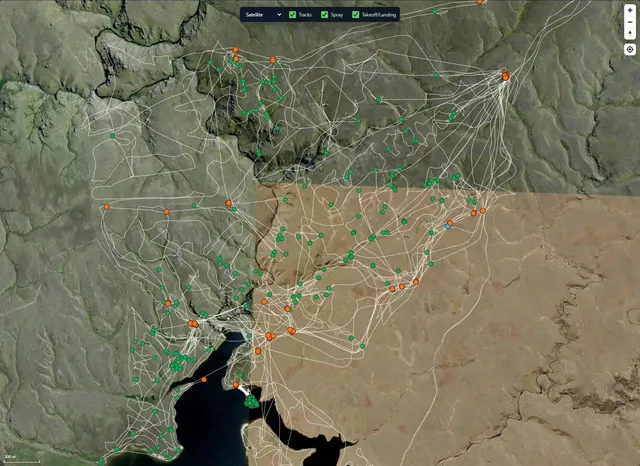
What comes out of one log file
One flight, and the four figures that come out of it.
- 0:24:18
- Flight time
- 4
- Spots treated
- 38.4 L
- Litres applied
- 12209
- Aircraft
It reads the log, not your notes
The log file off the aircraft gives the flight time, the litres applied, the spray on and off, and the track actually flown.
Nothing to write up
The hours, the litres and the track come off the aircraft, not off a notepad in the ute.
Litres you can invoice
The figure on the bill is the figure the pump actually put out.
Proof you flew the block
Every flight is checked against the area and the window you agreed.
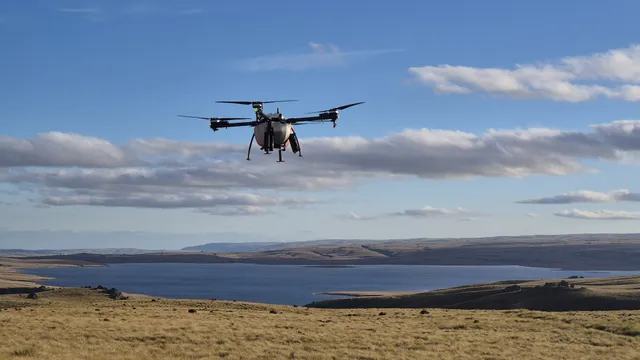
Supported aircraft
The Agricopter today. The rest are on the way.
- SPS Automation AgricopterSupported
- DJI AGRASComing
- XAG P seriesComing
- OtherTalk to us
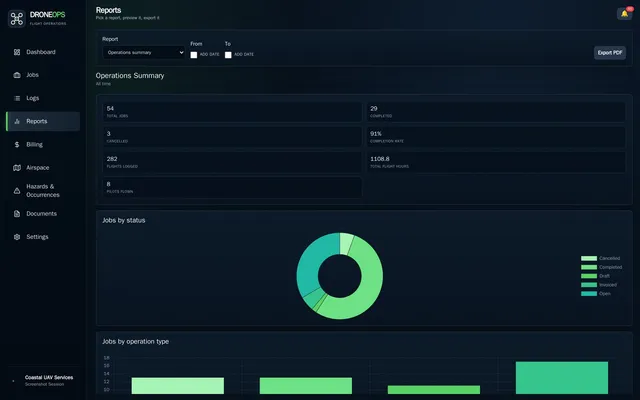
The month, counted for you
Ten report exports, all built from the same logs: pilot logbooks, spray history, plan compliance, client statements.
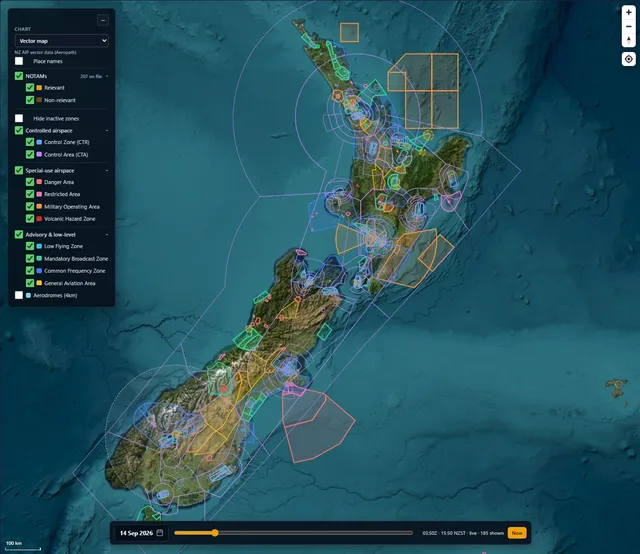
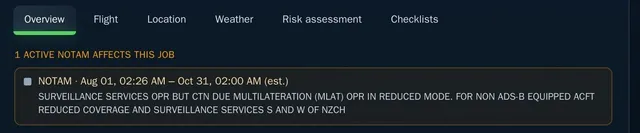
Real airspace, not an approximation
Official New Zealand airspace data, with the NOTAMs current that morning.
You find out at the gate
If something is in the way it sits at the top of the job, not in a PDF you have to remember to open.
Records that hold up
The things you would have to produce if anyone asked, kept so they cannot be quietly tidied up afterwards.
A job that breaks a rule will not open
Airspace is checked before the job goes live. A blocking finding names the rule and stops it, unless the job already carries the approval that covers it.
Locked once the job is closed
A spray diary or a completed checklist cannot be quietly edited later. An amendment takes an administrator and a written reason, and both versions stay on the job.
Nothing unchecked is reported as clear
If there was no area drawn, or nothing to check against, it says so. A gap is never presented as a pass.
Every change is on the record
Who changed what, and when, in a log that nobody can edit.
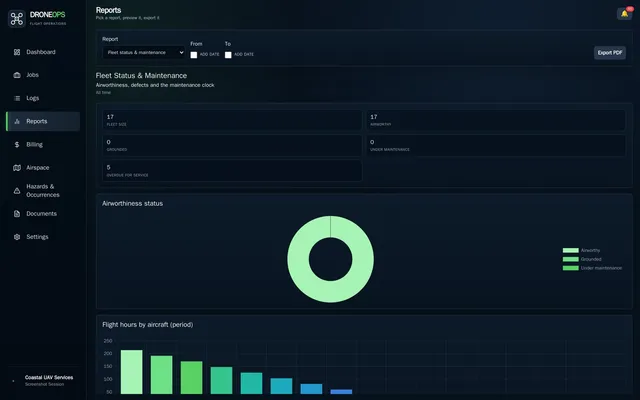
The 50-hour comes round on its own
Service intervals counted off the hours the logs recorded, not off a spreadsheet someone remembers to update.
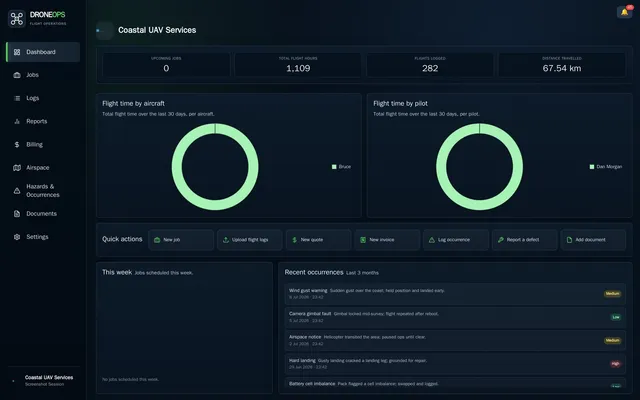
What is due, and what is overdue
Certifications, documents, airspace authorisations and unpaid invoices, counted down before they bite.
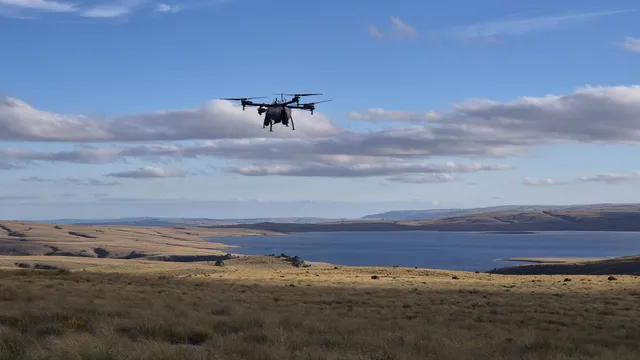
The client gets something that stands up
Product, rate, target, re-entry and withholding, written up from the job as flown and ready to send.
What it does
Flights and logs
- Upload logs straight off the aircraft
- Aircraft identified from the log
- Flight time, spray on and off, litres applied
- Spots treated and operating days
- The flown track drawn on a map
- Flown checked against what was planned
- Uploads queue when there is no signal
Airspace and NOTAMs
- Airspace checked before every job
- Control zones, restricted and danger areas
- Aerodromes, obstacles, runways and reporting points
- Visual navigation charts
- New Zealand NOTAMs synced hourly
- NOTAMs matched to a job's area and time
- Airspace authorisations register
On the job optional
- Quotes and job sheets
- Pre-flight and post-flight checklists
- Risk assessment
- Spray diary with tank mixes and restrictions
- Weather recorded at application
- Rules for who and what can be assigned
- Approval before a job goes live
Fleet and people
- Aircraft register and airworthiness state
- 50, 100, 200-hour and annual servicing
- Batteries, payloads and equipment
- Maintenance and defect reporting
- Pilot logbooks and currency
- Certifications, documents and expiry alerts
Safety
- Occurrence register with confidential reporting
- Hazard register with scoring
- Corrective actions with owners and due dates
- Evidence files kept out of the shared library
- Regulator notification recorded on an occurrence
Records and reporting
- Client proof-of-application document
- Pilot logbook and currency
- Spray and application history
- Fleet status, comparison and utilisation
- Plan compliance register
- Safety and incident register
- Ten exports, all as branded PDFs
Billing optional
- Charge-out rules by flight type, aircraft and approval
- Charge by job, hour, day, spot or hectare
- Labour at each person's own hourly rate
- Quotes, invoices and client statements
- Overdue tracking
Running it
- Several operators under one sign-in
- Roles and permissions
- Two-factor authentication
- A full audit log
Get in touch
Tell us what you fly and what you are stuck doing by hand.